If you have a brilliant idea for a mobile app, you are probably eager to see it live on the screens of millions of iPhone users. But bridging the gap between a great idea and a published app requires more than just coding skills. It requires access to a specific ecosystem. That ecosystem is the Apple App Store, and the key to unlocking it is the Apple Developer Account.
For anyone serious about app development, whether you are a solo entrepreneur or part of a large team, this account is not just an administrative requirement. It is a powerful toolkit that transforms how you build, test, and distribute your software.
In this guide, we will explore why purchasing an Apple Developer Account is one of the most critical investments you will make in your development journey. We will break down the benefits, the tools you gain access to, and exactly how it adds value to your professional portfolio.
What Is an Apple Developer Account?
At its core, an Apple Developer Account is your membership card to the world of Apple software. While anyone can download Xcode and write Swift code on a Mac for free, you hit a wall the moment you want to share that creation with the world.
This account is a paid membership that connects you directly to Apple’s distribution pipeline. It allows you to submit apps to the App Store, gain access to beta software releases, and utilize advanced capabilities like CloudKit, Game Center, and In-App Purchases. Without it, your app remains stuck on your local machine, invisible to the massive audience of iOS users worldwide.
Key Benefits of Having an Apple Developer Account
The $99 annual fee might seem like a hurdle when you are starting out, but the resources you unlock are extensive. Let’s look at the primary benefits that make this investment worthwhile.
1. Direct Access to the App Store
The most obvious benefit is distribution. The Apple App Store is a premium marketplace known for high-quality apps and users who are willing to pay for them. By having a developer account, you gain the ability to submit your applications to this global storefront. You can reach users in 175 regions, opening up revenue streams that simply aren’t available through other channels.
2. Advanced Testing with TestFlight
Before you launch, you need to know your app works. The Apple Developer Account gives you access to TestFlight. This tool allows you to distribute beta versions of your app to up to 10,000 external testers. You can collect feedback, crash reports, and user insights before your app ever goes public. This rigorous testing phase is crucial for launching a polished product.
3. Apple’s Cutting-Edge Technologies
Membership grants you full access to Apple’s SDKs and APIs. Do you want to integrate Apple Pay for seamless transactions? Do you need Siri shortcuts to make your app voice-accessible? Or perhaps you want to use Face ID for security? These advanced hardware and software integrations are only available to registered developers.
How It Enhances the App Development Process
Buying an Buy Apple Developer Account does more than just let you publish; it streamlines the entire way you build software.
Beta Software Access
Innovation moves fast. Apple releases beta versions of iOS, iPadOS, macOS, and watchOS months before the public sees them. As a registered developer, you can download these betas immediately. This allows you to test your current apps against upcoming operating systems to ensure they don’t break when the update launches. It also gives you a head start on implementing new features—like widgets or Dynamic Island support—so your app looks modern on day one of the new OS release.
Detailed Analytics and Diagnostics
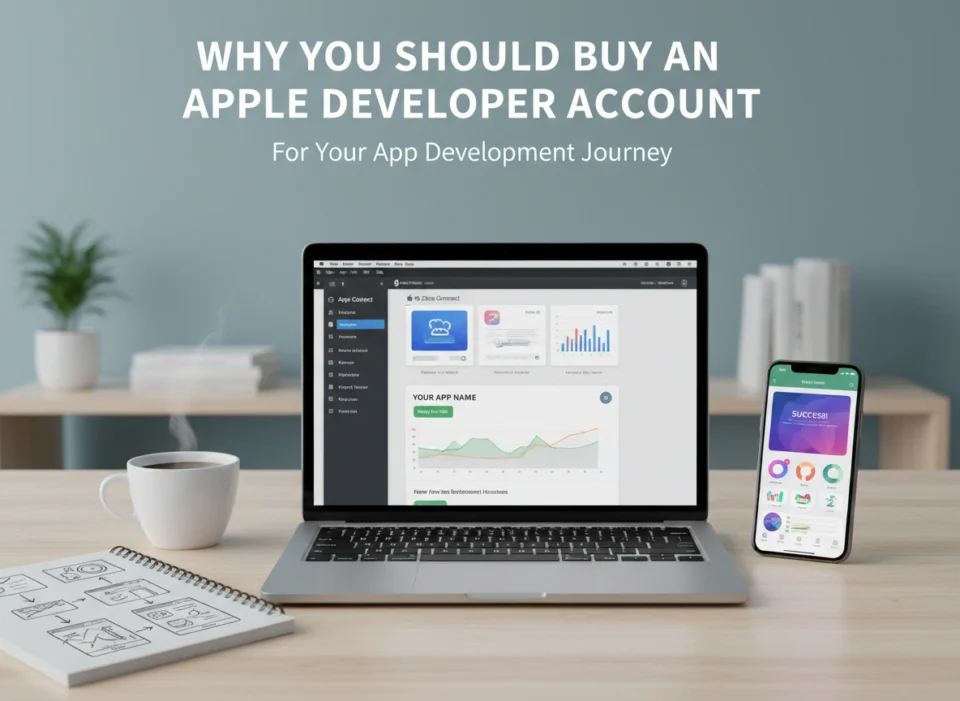
Knowledge is power. Once your app is live, Apple provides extensive analytics through App Store Connect. You can see how many people view your app page versus how many download it. You can track retention rates, crash data, and sales trends. This data helps you make informed decisions about future updates. If you see a high crash rate on a specific device model, you know exactly where to focus your debugging efforts.
CloudKit and Backend Services
Building a backend infrastructure is hard and expensive. With a developer account, you get access to CloudKit. This allows you to store user data in iCloud, keeping it synced across all their Apple devices. Apple handles the authentication and server maintenance, saving you weeks of development time and reducing server costs.
Credibility and Trust: The Invisible Asset
In the digital marketplace, trust is currency. When a user sees an app on the App Store, they inherently trust it more than a random download from the web. This is because Apple is known for its strict review process.
The “Verified” Badge Effect
Having a developer account means you have passed Apple’s identity verification. When users download your app, they see your developer name listed clearly. This transparency builds confidence. Users know that if the app has issues, there is a verified entity behind it.
Security and Malware Protection
Because you must sign your code with digital certificates provided by Apple, users are protected from tampering. If someone tries to inject malicious code into your app after you’ve built it, the digital signature will break, and the app won’t run. This security architecture protects your reputation. You aren’t just selling an app; you are selling a secure, verified experience.
The Cost and Value Proposition
Is it worth the money? Let’s break down the economics.
The standard Apple Developer Program costs $99 USD per year.
For this price, you get:
- Unlimited app submissions to the App Store.
- Access to all beta software.
- Advanced app capabilities (Maps, iCloud, Apple Pay, Wallet).
- App Store Connect analytics tools.
- TestFlight for beta testing.
- Technical support incidents (you can ask Apple engineers for help with code-level issues twice a year).
Comparing the ROI
Consider the potential return. If you sell your app for $0.99, you need to sell roughly 140 copies (after Apple’s commission) to break even on the membership fee. In the context of a billion-device ecosystem, this is a very low barrier to entry.
Even if your app is free and monetized through ads, the access to high-value iOS users often generates higher eCPM (effective cost per mille) revenue compared to other platforms. The value of the tools alone—specifically TestFlight and CloudKit—would cost hundreds of dollars a month if you had to purchase similar third-party services.
Furthermore, for enterprise organizations, the cost is negligible compared to the brand visibility and customer engagement a dedicated iOS app provides.
Steps to Purchase and Set Up an Account
Ready to get started? The process is straightforward, but it requires attention to detail.
Step 1: Create an Apple ID
If you don’t already have one, create an Apple ID. It is highly recommended to create a separate Apple ID specifically for your development work to keep it distinct from your personal music and photos.
Step 2: Enable Two-Factor Authentication
Apple takes security seriously. You must have two-factor authentication enabled on your Apple ID to enroll in the program. This usually requires an Apple device (iPhone, iPad, or Mac) to receive verification codes.
Step 3: Visit the Developer Website
Go to the official Apple Developer Program enrollment page. Click “Start Your Enrollment.”
Step 4: Choose Your Entity Type
You will need to select how you are enrolling:
- Individual: Your personal name will appear as the seller on the App Store. This is best for solo developers.
- Organization: Your company name will appear as the seller. This requires a D-U-N-S Number (a unique nine-digit identifier for businesses) and legal authority to bind the organization to agreements.
Step 5: Verify Your Identity
You will need to provide personal information and verify your identity. This might involve uploading a government-issued ID.
Step 6: Payment
Once your information is verified, you will be prompted to pay the annual fee. After payment processing (which can take up to 48 hours), you will receive an activation email.
Step 7: Access App Store Connect
Once active, log in to App Store Connect. This is your command center where you will upload apps, set up banking information to receive payments, and manage your account.
Conclusion
Purchasing an Apple Developer Account is the defining moment where a hobbyist becomes a professional app developer. It is the bridge between writing code in isolation and delivering a product to a global audience.
While the annual fee is an ongoing cost, the value returned is substantial. You gain the industry’s best testing tools, unparalleled security features, and access to the most lucrative app marketplace in history. You also gain credibility; simply having an app on the store signals to clients and employers that you understand the full lifecycle of software development.
If you are committed to your app development journey, do not view the account fee as an expense. View it as an investment in your career and your product’s future success. The tools are ready and waiting; all you need to do is sign up and start building.
